Appearance
Latest Posts
UX Package Upgrade
8/22/2026
We've upgraded our UX package across Hydro-Calc, bringing a round of layout and interaction refinements to make every screen feel tighter and easier to use.
What's New
- Better Layouts on Every Device: Reworked spacing and alignment throughout the editor so tables, forms, and panels fit properly on phones, tablets, and desktops—no more clipped columns or awkward empty gaps.
- Cleaner Forms & Settings: Editor forms and the settings page are now neatly centered instead of hugging one side, giving everything a more balanced look.
- Clearer Mixture Editor Toolbar: The Calculate Top-Off button now sits right beside Create Target, keeping mixture actions together and leaving the optimization controls as their own group.
- Fully Visible Limit Tables: Nutrient and substance limit tables in the mixture editor now show every column, including Low and High values, without hidden scrolling.
- Crisper Charts: Improved chart colors and axis labels so trends in your feed logs and nutrient analyses are easier to read at a glance.
- Refreshed Documentation: All guides now feature up-to-date screenshots that match the latest interface.
As always, if anything looks off or isn't working as expected, please leave us feedback using the Feedback button in the app. Happy growing!
Auth Fixes and Backend Updates
8/20/2026
Today we've rolled out a round of improvements focusing on smoother session handling, authentication stability, and backend security enhancements.
What's Changed
- Authentication & Session Reliability: Resolved edge cases around logging in, logging out, and session token refreshing to ensure your active workspace state stays clean and consistent across device sessions.
- Backend Security & Performance: Streamlined token verification on our API services to make authorized requests faster, tightened access rules, and optimized data update handling.
- App Performance & UI Responsiveness: Modernized our frontend application engine and component systems to deliver snappier interactions, smoother transitions, and faster overall load times across devices.
- Calculation & Optimization Polish: Fine-tuned optimizer numerical handling and improved reactivity across nutrient target and ratio calculations.
These under-the-hood updates keep everything snappy and secure. Please send feedback if you notice any issues.
UX Refresh and Visual Polish
8/11/2026
We've just rolled out a light visual update across Hydro-Calc and our documentation to make the site cleaner and easier to read!
What's New
- Visual Polish: Refreshed colors, headers, and spacing across the site so everything looks more consistent on desktop and mobile screens.
- Updated Screenshots: Refreshed all images throughout our documentation guides so walkthroughs match the app.
No major changes have been made to your saved mixtures, nutrient targets, shelf inventory, or calculators—everything continues to work just as before.
If you spot any visual glitches or run into any issues while using the site, please let us know using the Feedback button in the app. Happy growing!
Backend Database Optimizations
7/23/2026
Today we've updated search functionality to support instant keyword search across even more areas of the application, alongside under-the-hood performance improvements.
Expanded Search Coverage
You can now use instant keyword search across all of your data management views:
- Mixtures & Nutrient Targets: Quickly filter through custom recipes and target formulas.
- Feed Schedules & Feed Logs: Instantly find specific feeding routines or logged entries.
- Water Quality Profiles & Substances: Easily look up water profiles and shelf ingredients.
- Instant Search Controls: Press Enter anytime in a search box to immediately run your query without waiting.
We've also applied backend optimizations to ensure faster data loading and smoother performance across all tools. If you have any feedback or suggestions, let us know using the feedback button in the app!
Top Off Calculator Everywhere
7/21/2026
Managing nutrient reservoirs when water evaporates or plants consume nutrients mid-cycle can be tricky. Starting today, you can access the Top-Off Calculator anywhere you plan, edit, or log your feeding routines!
Top Off Reservoirs Without Guesswork
When water levels drop or EC drifts in an active reservoir, dumping your entire nutrient batch is wasteful. The Top-Off Calculator determines the exact substance amounts needed to bring your current tank volume back to your target PPM ratios.
You can now use the Top-Off Calculator directly across all major app tools:
- Mixture Editor: Access top-off calculations right from the optimization toolbar while working on nutrient recipes.
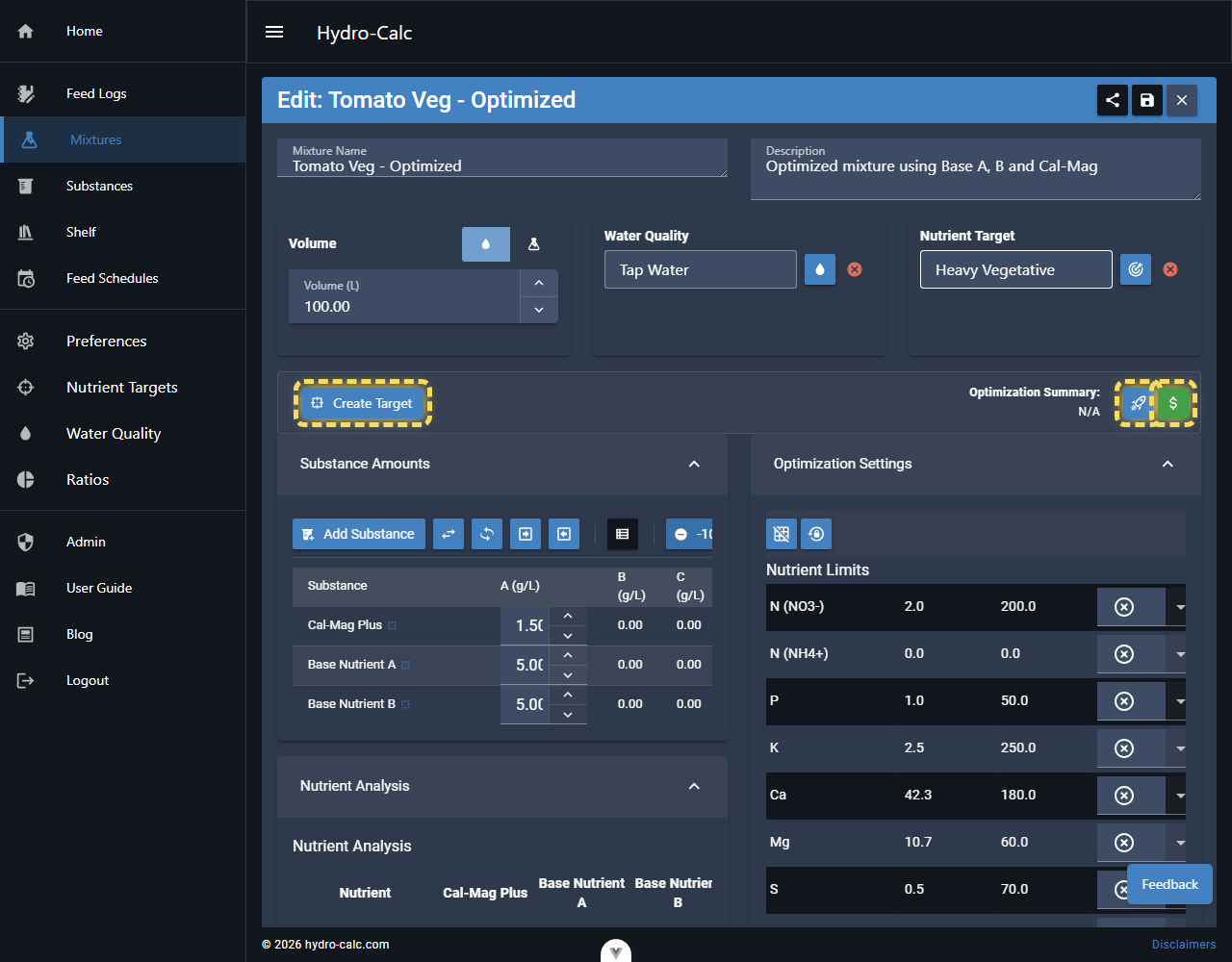
- Feed Schedules: Calculate mid-cycle reservoir top-offs directly within multi-week feeding routines.
- Feed Logs: Compute and record tank adjustments on the fly while logging daily measurements and water additions.
Updated Mixture & Feeding Guides
We've updated our Mixtures Guide with step-by-step visual walkthroughs showing how to calculate top-off amounts, adjust for evaporation, and maintain precise nutrient ratios throughout your growing cycle.
As always, if you have feature requests or feedback, let us know using the feedback button in the app!